
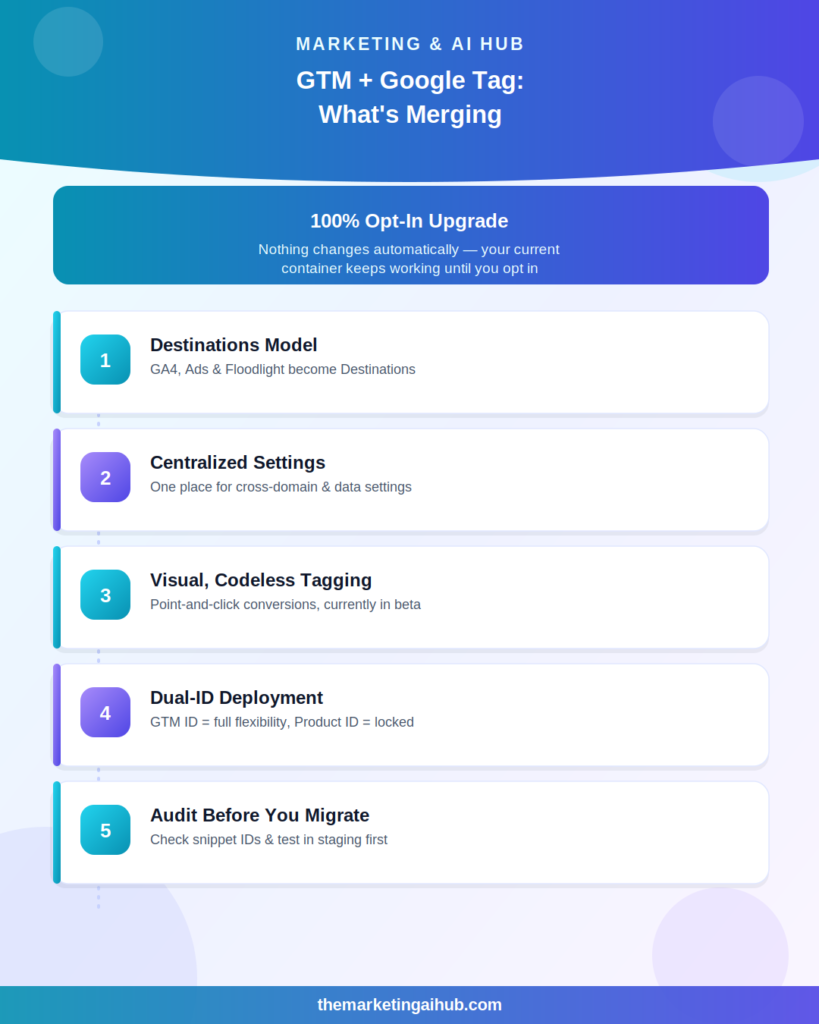
If you manage Google Tag Manager for clients or your own site, this is worth pausing for: Google is merging Google Tag Manager and the Google tag (gtag.js) into a single, unified system. First revealed ahead of Google Marketing Live 2026 on May 20, the change has been rolling out in stages since late June, with fresh interface updates landing as recently as July 8–9. This is being described as the most significant architectural change to Google’s tagging stack in years — here’s what’s actually changing and what to check in your own containers.
What’s Actually Merging
Historically, GTM and the Google tag were two separate but closely related systems — GTM as the vendor-neutral container for managing tags, triggers, and variables, and the Google tag (formerly the Global Site Tag) as the default snippet powering GA4 and Google Ads tracking. That overlap created a persistent source of confusion for anyone setting up tracking.
Under the new model, GTM containers essentially become Google Tags. Each Google product you send data to — GA4, Google Ads, Floodlight — becomes a Destination inside a unified Google Tag, managed from a new centralized Settings tab. Instead of loading separate scripts for each product, sites benefit from a shared infrastructure, which Google says meaningfully improves load times, especially for high-traffic e-commerce sites.
The Other Major Pieces of the Update
Centralized settings. Configurations like cross-domain tracking or user-provided data settings can now be managed in one place instead of being set separately across GA4 and Google Ads — a common source of drift when teams manage these platforms separately.
Visual, codeless tagging. A new point-and-click event builder lets you set up conversions (starting with Google Ads Purchase conversions) by selecting elements directly on your website, without manually configuring tags, triggers, and variables. It’s currently in beta. Worth noting: this relies on CSS selectors to detect page elements, which can break if a site’s layout changes — for stability, building conversions into the Data Layer directly with your developer is still the safer long-term approach.
Dual-ID deployment model. Containers can now be deployed using either the standard GTM container ID or a Google product ID. Deploying with the product ID restricts the container to Google’s own tags only — useful for organizations wanting tighter governance. Deploying with the GTM container ID keeps full flexibility, including third-party tags and custom HTML, which remain fully supported either way.
New initialization trigger. New deployment snippets no longer include the gtag config command. Instead, Google recommends configuring initialization behavior using the new gtm init trigger, which can also be set to wait for a config command if you need to preserve a legacy setup.
readAnalyticsStorage API. Developers building custom templates can now read client and session ID cookie values through this new sandboxed API, instead of reverse-engineering Google’s cookie formats — a change that should reduce breakage whenever Google updates its cookie structure.
What Hasn’t Changed (Important Reassurance)
Google has been explicit that this is an opt-in upgrade — nothing changes automatically:
- Your current GTM container keeps working exactly as it does today if you don’t opt in
- Opting in does not give your container permission to auto-fire new tags — you still control what fires and when
- Third-party tags and custom HTML remain fully supported; GTM’s vendor-neutral value proposition isn’t going away
- Your existing tags, triggers, and variables stay untouched unless you actively run the optimization flow
What to Actually Check This Week
- Audit the ID in your container snippet. If you inherit or manage a site and see a
G-XXXXXXID instead of aGTM-XXXXXXID, that container has intentionally been restricted to Google-only functionality — know which one you’re working with before making changes. - Hold off on opting in for complex, multi-client accounts until you’ve tested in a staging environment, especially if your containers rely on multiple Google Tags with unique per-tag settings — centralized defaults can unintentionally override individual configurations during migration.
- Update your debugging toolkit. With container structure changing, make sure your GTM browser extensions and Tag Assistant setup are current before troubleshooting a freshly-optimized container.
- Don’t rely on the visual event builder for critical conversions yet. It’s genuinely useful for quick setups, but Data Layer-based conversions remain more resilient for anything tied to revenue reporting.
- Check unsupported installation paths. A recent patch (July 9) now strictly enforces that the ID in your snippet dictates container functionality, regardless of installation path — previously, some unsupported custom paths could accidentally force a container into a restricted state.
The Bottom Line
This isn’t a cosmetic rename — it’s Google finally resolving years of overlap between two systems that always should have been one. For most freelancers and small teams, there’s no urgency to opt in immediately, but it’s worth understanding the new Destinations model now, testing it in a low-stakes container first, and building the habit of auditing which ID your client sites are actually using before this becomes the default setup going forward.