
Since Google Ads’ Terms of Service changed on July 1, 2026, Google’s AI has explicit contractual permission to crawl your website and use that content to generate ad copy, headlines, and landing destinations automatically. For most advertisers, that’s not a bad thing — it’s how features like Performance Max and AI Max create ads at scale. But it does mean you need to actively tell the system what it should and shouldn’t touch, rather than assuming it’ll figure that out on its own.
Here’s a practical guide to staying in control of what Google’s AI pulls from your site.
Why This Matters Now
Under the old terms, Google described automated crawling as a helper feature advertisers could opt into. Under the new terms, connecting a Merchant Center feed or enabling Performance Max/AI Max comes with explicit permission for Google to crawl and index your site to generate ad assets. The responsibility for reviewing what gets published, however, still sits with you — Google isn’t liable if an auto-generated headline overstates a claim, misuses a trademark, or promotes a page you never meant to advertise.
In practice, that means the businesses that stay in control are the ones actively managing three things: what pages AI can pull from, what context they give the AI, and what they review before it goes live.
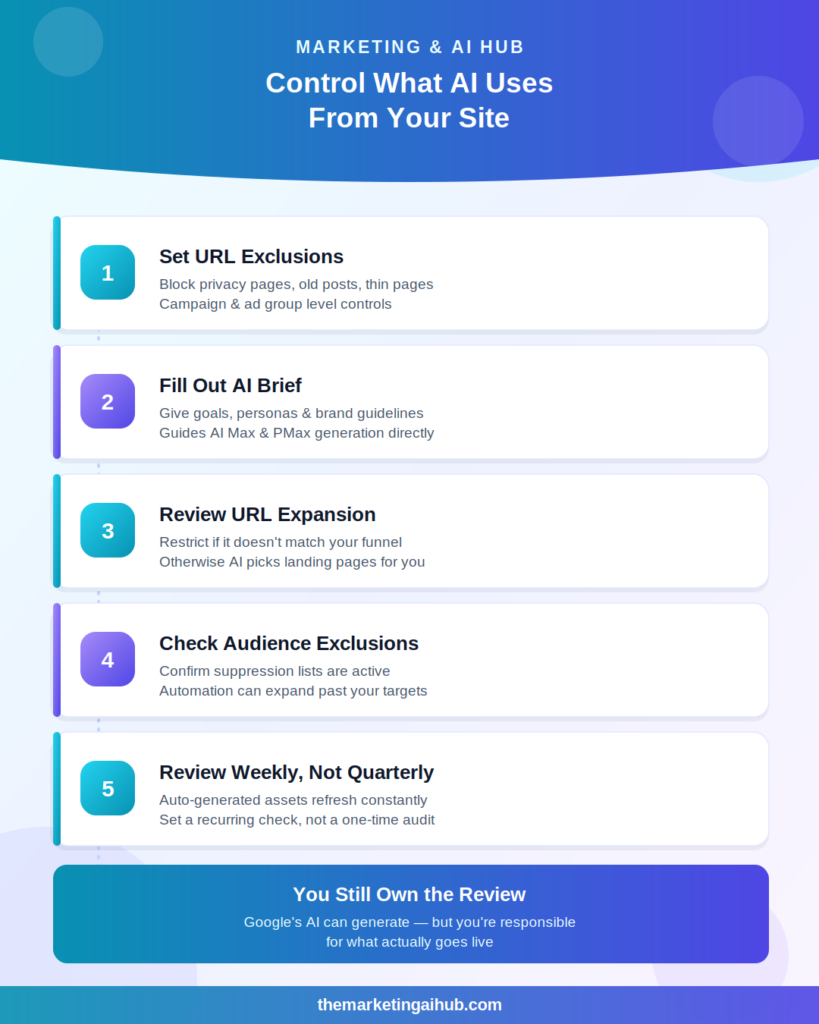
1. Set URL Inclusion and Exclusion Rules
At the campaign and ad group level, you can specify which pages automation is allowed to use and which it should ignore. This is one of the simplest controls available, and one of the most overlooked.
Standard candidates for exclusion:
- Privacy policy and terms & conditions pages
- Careers pages
- Support documentation
- Outdated blog posts or seasonal content
- Thin product pages with little unique content
- Anything with expired offer or promotional language
The goal isn’t to hide useful content from Google — it’s to reduce the chance that automation pulls language from a page that was never meant to be customer-facing.
2. Use AI Brief to Set Context Deliberately
Google introduced AI Brief at Google Marketing Live 2026 as a way to feed the system your actual business goals, audience personas, and brand guidelines directly, rather than letting it infer everything from your website alone. If you’re running AI Max or Performance Max, filling this out properly gives the AI a clearer picture of your brand voice and priorities before it starts generating assets — this is worth doing upfront rather than treating it as optional.
3. Review Final URL Expansion Settings
If Final URL Expansion is enabled, Google can direct traffic to landing pages you didn’t explicitly select for that campaign, based on what it thinks will convert. This is authorized under the new terms, but if it doesn’t align with how you’ve built your funnel, it’s worth restricting at the campaign level rather than leaving it on by default.
4. Double-Check Audience Exclusions
Automated campaigns can expand targeting beyond your originally stated audience parameters in search of more conversions. Confirm your suppression lists and customer match exclusions are active and correctly scoped — this matters even more now, since automation is doing more of the targeting work without prompting you first.
5. Build a Recurring Review Habit
Auto-generated assets aren’t a one-time setup. With AI Max for Shopping and Performance Max now pulling from Merchant Center feed attributes and generating new copy continuously, a quarterly check is no longer enough. A better approach:
- Review live ad assets weekly for accounts running heavy automation
- Check the search terms report to catch anything automation is matching that shouldn’t be
- Re-confirm URL exclusions any time you publish new low-value or sensitive pages
The Bigger Shift
Google Ads is moving from a platform where you set up automation once and let it run, to one where ongoing governance is part of the job. The July 2026 terms didn’t just update legal language — they formalized a shift that was already happening: AI is doing more of the execution, and advertisers are expected to do more of the reviewing. Accounts that build these habits now will have far less cleanup to do later.
Want a second set of eyes on your account’s automation settings, exclusions, or AI Brief setup? Visit
themarketingaihub.com/contact for a governance audit.